Author Archives: bitbull-uk

I have been programming games since I was about ten years old. I had my first titles, Subterranean Nightmare and (the frankly pretty terrible) Skateboard Joust, published on the ZX Spectrum when I was 15.
For the past 15 years I have been making a living developing games for mobile (feature) phones via my companies BitBull and Maturus Mobile. My games are served on all the major International operator portals, have regularly featured in the ELSPA charts and have won several Pocket-Gamer awards. In 2013 my original puzzle game ‘Puzzled Zombies’ was nominated for Pocket Gamer’s ‘Game Of The Year’ alongside entries from big players such as Namco and Electronic Arts.

Being an independent games developer is not easy. I’ve been doing this a long time yet am still tearing my hair out and learning new things pretty much every day. I still know nothing.

Get in touch via the BitBull website at http://www.bitbull.com.

Jetboard Joust DevLog #2 – Player Movement and Gameplay

Been working on the initial player movement for ‘Jetboard Joust‘ (my ‘Skateboard Joust‘ sequel) this week which, of course, also entails thinking about how the gameplay is going to work.

And the more I think about it the more I’m convinced that there’s enough ‘endless runners/jumpers/droppers/flappers/flyers/hoppers’ etc out there and I should really do something different.

So I fancy making the gameplay similar to, possibly the greatest arcade game of all time, Williams ‘Defender‘. A scrolling world that loops back on itself with a set number of enemies to destroy per level. It’s a format that doesn’t get much love nowadays but I have such strong memories of being huddled in awe around a ‘Defender‘ cabinet after going swimming on a Saturday as a kid that I think I should pay some kind of tribute to it.

Maybe the reason the format doesn’t see much action on mobile is that it requires a much greater degree of control than an ‘endless runner’. ‘Defender‘ had what seemed like a bewildering set of controls for an arcade game in it’s day. Of course, we’re all used to multi-button controllers nowadays but, as I wrote in a previous post, an iPad is most definitely NOT a gamepad so there’s no way I’m going to go down the fundamentally flawed ‘onscreen gamepad’ route.

For the mobile version I want to keep the controls as simple as possible and control everything via tapping either on the left or right of the screen. After running a few tests I think I can get this to work – tap on one side to thrust, tap and hold to reverse direction. Tap on the other side to fire (hold to repeat fire for weapons that support it).

This method means you’re almost always moving at a constant velocity left/right (unless turning) but in initial tests it seems to work OK and feel pretty intuitive. Much of the work is in getting the ‘bounce’ of the thrust action to feel right – more on that later…

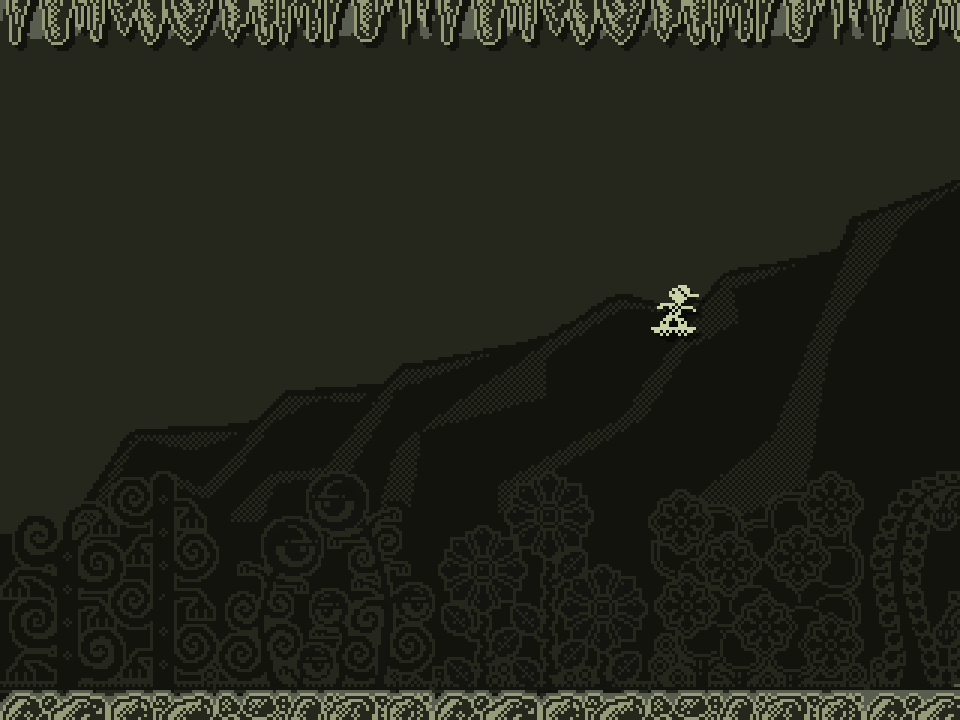
Oh yeah – check out the parallax scrolling too! And I know the main character anims not working!

Dev Time: 2 days (including project setup)
Total Dev Time: approx 4.5 days

previous|next

mockup_3x
Don’t Remember Her At The Swimming Baths

mockup_3x
First Stab At Player Movement And Parallax


I Could Never Last More Than About Two Minutes

Jetboard Joust Devlog #1 – Overall Art Style

Looking back at my (frankly rather awful) ZX Spectrum title ‘Skateboard Joust‘ reminded me that there was always something pretty decent in the core gameplay concept of using your flying skateboard as a weapon when mid-jump.

As I need something else to work on whilst development on ‘Attack of Giant Jumping Man‘ slows down (hopefully temporarily) I thought about revisiting ‘Skateboard Joust‘ – almost as a penance for my sins in bringing such a dreadful game into the world into the first place! Maybe I can make a half-decent sequel and bring my gaming karma into alignment somehow?

I think I could get this mechanic to work as a simple two-button ‘endless scroller’ which might be nice for mobile and possibly even PC so I’ve been working on some visuals for the game with a view to making a prototype at least.

I’ve been going for a retro look in keeping with the game’s heritage, but rather than going for a full-on Spectrum emulation I’ve decided to keep to simple, restricted Gameboy-ish colour palette which I may change as the game progresses. The result is somewhere between Gameboy and Spectrum.

Game art is not my strongest suit and always takes me ages. I’d much rather be working with @PVBroadz but it this instance I need something I can crank out on my own. Pretty pleased with the result so far though – feel free to tell me what you think.

Dev Time: 2.5 days.

next


mockup_3x

Have I Got Any Better At Pixel Art In The Last 30 yrs?


mockup_3x

Test Animation For The Main Character


mockup_3x

Retro Revenge – Click For A Closer Look

Attack of Giant Jumping Man Revealed

Pleased to say we’ve just recently released the first trailer of gameplay footage from ‘Attack of Giant Jumping Man’, the debut Joystick Junkyard title. The trailer is taken from actual gameplay footage of the alpha version which contains the first five levels of the game.

The trailer was all thrown together pretty quickly and we weren’t going to make it public – then we thought ‘ What the hell… why not?’ So far it’s had a pretty good response too!

Anyway – please check it out and any liking/sharing and all that other nonsense is much appreciated!


Attack of Giant Jumping Man

Updating Legacy MonoGame Projects to iOS9 / Unified API

Just the moment you long for. Apple releases a new iOS update and that breaks something in your development platform of choice (Xamarin/MonoGame in my case) and all your apps no longer work. Great. Like I didn’t have enough to do.

And as with everything Apple nowadays – any kind of update seems to break everything else thereby creating a domino effect of pain and tedium as you wait for gigabytes of data to download over a shitty rural broadband connection. Oh, the joy!

So, without further ado here’s how to update your legacy MonoGame projects to iOS9 and the Unified API. Hopefully this will make life a little easier for someone.

If you have a crappy broadband connection buy a copy of ‘War And Peace’ or something suitable to keep you occupied.

If you’re running an OS earlier than Yosemite update to El Capitan. You’re going to have to unfortunately. You’ll need XCode 7 and that only runs on Yosemite or later. Apple aren’t big on backwards-compatibility these days.

Update to XCode 7.

Update everything Xamarin-related to the latest version. I’m currently running Xamarin Studio 5.10 which at the time of writing is on the alpha update channel. I was getting some issues with creating archives using the current ‘stable’ release.

Update any additional components you are using to the latest version – for example I was using the Xamarin Google AdMob component. Make sure to add the ‘unified’ version.

Open the solution you are updating and try to build it – you may get the following error:

/Library/Frameworks/Mono.framework/External/xbuild/Xamarin/iOS/Xamarin.iOS.Common.targets: Error: Error executing task DetectSdkLocations: Unknown TargetFrameworkIdentifier: .NETFramework

Remove the references to monotouch and OpenTK from your project and instead add references to OpenTK-1.0.dll and Xamarin.iOS.dll (these are visible under the ‘all’ tab when you go to edit references).

Try and build the project again. You will probably get a shedload of errors to do with it not being able to find the MonoTouch namespace. Just get rid of all references to MonoTouch, ie replace ‘using MonoTouch.Foundation;’ with ‘using Foundation;’ or ‘using MonoTouch.UIKit;’ with ‘using UIKit;’ etc.

Depending on how many of the native classes you referenced you may have some additional work to do here, probably involving changing ‘float’ references to ‘nfloat’. Hopefully you’re not referencing too many of these as the whole point of MonoGame is that we avoid the native classes if possible (I just had to change some of my ad-serving code).

Hopefully your code should now compile and the only remaining errors (if any) are due to an outdated MonoGame, for example:

Error CS0012: The type `MonoTouch.UIKit.UIImage’ is defined in an assembly that is not referenced. Consider adding a reference to assembly `monotouch, Version=0.0.0.0, Culture=neutral, PublicKeyToken=84e04ff9cfb79065′ (CS0012)

Download and build the latest version of MonoGame from the Develop branch on GitHub. At the time of writing there are issues with the latest ‘stable’ build of MonoGame (3.4) with iOS9 so you will need the version from the Develop branch. Change all the MonoGame references in your project to the latest versions.

Hopefully you should now get an error free compile, however you may get something like the following:

Error MT0073: The minimum deployment target for iOS is 5.1.1 (current deployment target is 4.2). Please select a newer deployment target in your project’s Info.plist. (MT0073)

To resolve this simply change the deployment target of your iOS project to 5.2 (note: this setting is now in the info.plist file).

Try and compile again. Most likely you will now get the following errors:

Error MT0016: The option ‘–nomanifest’ has been deprecated. (MT0016)

Error MT0016: The option ‘–nosign’ has been deprecated. (MT0016)

To resolve this your .csproj file needs to be changed so that it’s building using the ‘unified’ settings. Bit of voodoo required here as you will have to quit Xamarin and edit the .csproj file for your iOS project using your text editor of choice. Follow the instructions in step one of the ‘Steps To Update Manually’ section here. In short:

Change the project flavor in your csproj files from ‘6BC8ED88-2882-458C-8E55-DFD12B67127B’ to ‘FEACFBD2-3405-455C-9665-78FE426C6842’. Edit the csproj file in a text editor and replace the first item in the <ProjectTypeGuids> element.

Change the Import element that contains ‘Xamarin.MonoTouch.CSharp.targets’ to ‘Xamarin.iOS.CSharp.targets’.

You should now, finally, be able to compile and run your project on a connected iOS device. If, on launch, you get the following error:

System.EntryPointNotFoundException: alcMacOSXMixerOutputRate
at at (wrapper managed-to-native) Microsoft.Xna.Framework.Audio.OpenALSoundController:alcMacOSXMixerOutputRate (double)
at at Microsoft.Xna.Framework.Audio.OpenALSoundController.OpenSoundController () in <filename unknown>:line 0
at at Microsoft.Xna.Framework.Audio.OpenALSoundController..ctor () in <filename unknown>:line 0
at at Microsoft.Xna.Framework.Audio.OpenALSoundController.get_GetInstance () in <filename unknown>:line 0
at at Microsoft.Xna.Framework.iOSGamePlatform..ctor (Microsoft.Xna.Framework.Game game) in <filename unknown>:line 0
at at Microsoft.Xna.Framework.GamePlatform.Create (Microsoft.Xna.Framework.Game game) in <filename unknown>:line 0
at at Microsoft.Xna.Framework.Game..ctor () in <filename unknown>:line 0

You are not running the latest MonoGame build from the Develop branch as described earlier. Unfortunately MonoGame 3.4 and earlier exhibit this problem with iOS9. Update all the MonoGame references in your project to the latest version from the Develop branch on GitHub.

If you’ve made it this far without losing the will to live your app should be running on iOS9. I’m afraid to say your problems aren’t over though. Once you have built your updated app and try and upload to iTunesConnect using the Application Loader you will more than likely run into the following errors:

ERROR ITMS-90086: “Missing 64-bit support. Beginning on February 1, 2015 new iOS apps submitted to the App Store must include 64-bit support and be built with the iOS 8 SDK. Beginning June 1, 2015 app updates will also need to follow the same requirements. To enable 64-bit in your project, we recommend using the default Xcode build setting of “Standard architectures” to build a single binary with both 32-bit and 64-bit code.”

To fix this under Project Options->Build->iOS Build->Supported Architectures select ‘ARMv7+ARMv7s+ARM64’

ERROR ITMS-90474: “Invalid Bundle. iPad Multitasking support requires these orientations: ‘UIInterfaceOrientationPortrait,UIInterfaceOrientationPortraitUpsideDown,UIInterfaceOrientationLandscapeLeft,UIInterfaceOrientationLandscapeRight’. Found ‘UIInterfaceOrientationPortrait’ in bundle ‘com.bitbull.flappingbird’.”
ERROR ITMS-90475: “Invalid Bundle. iPad Multitasking support requires launch story board in bundle ‘com.bitbull.flappingbird’.”

To fix this add a setting’UIRequiresFullScreen’ to your project’s info.plist file and set it to ‘YES’.

Hopefully you should now be good to go and if you got this far without topping yourself – well done! It’s not exactly the most straightforward process in the world!

Playing MP3 Background Music In MonoGame Windows

The process of porting ‘Attack Of Giant Jumping Man‘ to Windows Desktop has been generally painless. One of the things that has given me the most issues though has been getting MP3 background music to play correctly. For some reason the WindowsGL version of MonoGame doesn’t support MP3 files as XNA Song objects to play via MediaPlayer.Play().The solution, as usual with these kind of issues, is to go native. Unfortunately just doing something as simple as playing an MP3 file on Windows is much more convoluted than would seem necessary if you want to avoid including additional dependencies (DirectX, Windows Media Player etc) into your project.

So, here’s some code that will play MP3 files without the need for additional dependencies by hooking into the winmm.dll. Import your MP3 resources using the MonoGame pipeline tool and just set to ‘copy’ with no pre-processing. Code could probably do with tidying up a bit but it works!

#region Using Statements
using System;
using System.Text;
using System.Runtime.InteropServices;
using Microsoft.Xna.Framework;
using Microsoft.Xna.Framework.Audio;
using Microsoft.Xna.Framework.Media;
using Microsoft.Xna.Framework.Input;
#endregion

namespace com.bitbull.meat.platform.windows
{
    public class WinmmMp3MediaType
    {
        [DllImport("winmm.dll")]
        private static extern long mciSendString(string lpstrCommand, StringBuilder lpstrReturnString, int uReturnLength, int hwndCallback);
        private string filename;
        private string command;
// Expects a name like 'yourfile' WITHOUT an extension (just for consistency with Content.Load)
// Expects files to be stored at root of Content directory with no pre-processing 
        internal WinmmMp3MediaType(string name)
        {
            filename = "Content/" + name + ".mp3";
        }

        internal override void Play(int loopcount, float volume)
        {
            StringBuilder retvalue = new StringBuilder();
// You need to stop and close and currently playing files otherwise it doesn't work properly
            command = "stop Mp3File";
            mciSendString(command, null, 0, 0);
            command = "close Mp3File";
            mciSendString(command, null, 0, 0);
            command = "open " + "\"" + filename + "\"" + " type MPEGVideo alias Mp3File";
            mciSendString(command, retvalue, 0, 0);
// I've commented out the code for setting the volume as it's specific to the way I do things but basically this command expects an integer between 0 (min volume) and 1000 (max volume) 
            // float master_volume = MEAT.Platform.MediaInterface.MusicVolume / 100.0f;
            // mciSendString(string.Concat("setaudio Mp3File left volume to ", (int)volume*master_volume*1000), null, 0, 0);
            // mciSendString(string.Concat("setaudio Mp3File right volume to ", (int)volume*master_volume * 1000), null, 0, 0);
            command = "play Mp3File";
            if ( loopcount<=0 )
            {
                command += " REPEAT";
            }
            mciSendString(command, retvalue, 0, 0);
        }

        internal override void Stop()
        {
            command = "stop Mp3File";
            mciSendString(command, null, 0, 0);
            command = "close Mp3File";
            mciSendString(command, null, 0, 0);
        }
    }
}

Going Full Screen In MonoGame Windows

One of the things that caused me some issues when porting ‘Attack Of Giant Jumping Man‘ to Windows was getting the game to run full screen at the correct resolution.

Unfortunately the MonoGame calls that should return the dimensions of the primary display don’t seem to work correctly on all hardware. My system was OK (a Mac Pro running Windows 8 via VMWare Fusion) but on @PVBroadz Surface Pro 3 MonoGame would, for some reason, insist the primary display was only 720 pixels wide.

My solution to this was to use native calls to return the width and height of the primary display, the following in my Game.Initialize() method seems to work just fine when placed after baseInitialize()…

GraphicsDeviceManager.PreferredBackBufferWidth = System.Windows.Forms.Screen.PrimaryScreen.Bounds.Width;
GraphicsDeviceManager.PreferredBackBufferHeight = System.Windows.Forms.Screen.PrimaryScreen.Bounds.Height;
GraphicsDeviceManager.IsFullScreen = true;
GraphicsDeviceManager.ApplyChanges();

…don’t forget to add a reference to the System.Windows.Forms dll!

Enter The Junkyard

Yeah, it’s been quiet around here lately. Ooh look – there’s some tumbleweed.

Funny old game this #indiedev business. The bottom’s (finally) falling out of the mobile Java market and, let’s face it, it’s practically impossible to make any worthwhile cash from the AppStore or Google Play due to the woeful lack of curation and avalanche of sub-prime content therein. It’s all about the marketing these days. Fine if you have the budget or are a marketeer. I’m not – I just want to make cool games.

So myself and @PVBroadz have changed tack a little and have formed Joystick Junkyard. We’re not ditching mobile but are developing quirky, high-quality ‘future retro’ titles with a focus on more traditional gaming platforms such as PCs and consoles as much as phones and tablets. We’ve just completed a playable alpha-demo of our first title – ‘Attack Of Giant Jumping Man‘.

Check out the Joystick Junkyard blog here – or follow us on Twitter here.


jj_logo_420w

Tomorrow’s Retro Games Today

Creating Bindable Properties in Xamarin.Forms

UPDATE: This post, popular as it has been, is somewhat outdated now. I’ve written an updated version that is more ‘cut and paste’ friendly and removes the references to generic types (which are now deprecated in Xamarin.Forms) here.

Something you’re bound to run into sooner or later when developing with Xamarin.Forms is the issue of how to make a property bindable. Fortunately it’s pretty easy to do – though I found it hard to find a simple example online that worked both for setting the property programmatically and via xaml.

So, without further ado here’s an example of a bindable ‘Foobar’ property that can be set both programmatically and via xaml. Just copy/paste this into your own code whilst changing the relevant bits and you should be fine…

Note: ‘YourClass’ should be replaced by the type name of the class that holds the property. References to ‘bool’ should (obviously) replaced by the type of property you are declaring. The ‘false’ value that is passed to the BindableProperty.Create() method refers to the default value for the property and should be replace by something meaningful.

public static readonly BindableProperty FoobarProperty=BindableProperty.Create( p => p.Foobar, false );

public bool Foobar
{
	get 
	{ 
		return (bool)GetValue(FoobarProperty); 
	}
	set 
	{
		SetValue(FoobarProperty, value); 
	}
}

private void UpdateFoobar()
{
	// Do whatever you need to do when the property 
	// has been set here. By the time this method is
	// called Foobar will already hold the updated value
	// so if you need to reference the old value you will
	// need to store it in a class variable
}

protected override void OnPropertyChanged(string propertyName)
{
	base.OnPropertyChanged(propertyName);

	switch( propertyName )
	{
		case "Foobar":
			UpdateFoobar();
			break;
	}
}

Hopefully that’s been helpful – now why not take a brief break from work to watch our trailer for ‘Attack Of Giant Jumping Man’…


Attack of Giant Jumping Man

Unhelpful Exceptions In Xamarin.Forms

if you’re wondering why it’s been so quiet around here recently it’s because I’ve had my head down working on a contract project using Xamarin Forms – as well as trying to get #superjp finished. Life is busy. Too busy.

Anyway, Xamarin Forms is pretty cool once you get the hang of it – but to start with things were very painful. Documentation is sparse and often wrong, then when crashes happen exceptions are usually thrown deep within the bowels of some auto-generated code leaving you with little or no idea what the issue is. And that’s when you get an exception at all – often the exceptions are unhelpfully caught and just ‘glossed over’, leaving you with absolutely no idea why your code isn’t executing.

So I thought I’d jot down a few posts covering issues I’ve run up against which may prevent someone from tearing their hair out quite as much as I had to over the first couple of weeks – first up is weird crashes and unhelpful exceptions.

1. Autofac.Core.DependencyResolutionException

An exception was thrown while invoking the constructor ‘Void .ctor(IAuthenticationService)’ on type ‘MenuService’. Argument cannot be null.

This exception often appears after changing properties in the XAML. It appears to be the result of a bug in Xamarin Forms and was always thrown in the same place in our code. Simply building/running again stopped the exception from appearing. Annoying to say the least – but once you’ve added a comment to remind you it’s not your fault you learn to live with it.

2. Error: The type `SomeType’ already contains a definition for `someProperty’
This is a compile time rather than a runtime error and is caused by creating properties in your ‘code behind’ class that have the same names as controls in the associated XAML (x:Name=”someProperty”). Always give your custom properties/class variables unique names – Xamarin.Forms seems to use the ‘x:Name’ property for variable names in generated code and this is what causes the conflicts.

A similar issue can cause errors at runtime if you have a named control (x:Name=”SomeProperty”) that conflicts with a type name in the same namespace or one of the imported namespaces. It’s probably good practice to define your own naming convention for XAML controls so that you are sure they don’t conflict with any properties, types or variables in any accessible namespace.

3. Xamarin.Forms.Xaml.XamlParseException: Property Content is null or is not IEnumerable
This one is probably obvious to those with prior experience of XAML but to noobs like me it wasn’t and caused much weeping and gnashing of teeth. You can’t have more than one Layout at the top level of a ContentPage (or ScrollView, whatever). This makes sense when you think about it (how would it know how to layout the Layouts) but the exception doesn’t give much clue as to what’s going on so can lead to confusion.

4. Xamarin.Forms.Xaml.XamlParseException: No Property of name ‘Foobar’ found
Assuming the class to which you’re referring actually has a property of name ‘Foobar’ (or whatever) then the most likely cause of this is that the property is not bindable. I’ve given a simple example of how to make a property bindable here. Most of the properties within the Xamarin.Forms classes have already been made bindable but if you do run into one that’s not you can most likely create a subclass that contains a bindable version of the property you want to access (just set the appropriate property in the base class).

This error can also be caused by duplicate name issues as describe in 2 above.

5. The name InitializeComponent does not exist within the current context
If you’re running Forms as a shared project with iOS as the target the most likely reason for this error is that you don’t have ‘Use MSBuild Build Engine’ checked under Project Options->Build->General.

Another cause of this error can be mistakenly not having your XAML class definition ( x:Class=”Foo.Bar”) matching the class definition in your ‘code behind’ class. I made this mistake a number of times when using copy/paste to set up XAML files.

I may add more here later…

Subterranean Nightmare – How Jet Set Willy Destroyed My Life

It’s 1984, and I am a spotty fourteen-year-old obsessed by Mathew Smith’s latest bizarre creation – Jet Set Willy. Jet Set Willy is the sequel to Manic Miner, at that point one of the most popular ZX Spectrum titles to date – and amazingly it’s a quantum leap ahead of its predecessor. There are something like 60 levels in the game, all of which can be explored in a nonlinear manner. It’s surreal, atmospheric, and feels absolutely vast.

But – there’s a problem. The original release of the game is impossible to complete due to a number of bugs. One room in particular – The Banyan Tree – has what’s obviously supposed to be an exit blocked by an impassable block. My brother and I have some limited experience tinkering around with ZX Spectrum machine code so I make a fateful decision – if you can’t beat the game fairly, hack it!

Fortunately you don’t need to be Mathew Broderick in ‘War Games‘ to figure out the Jet Set Willy level format and even a certified numpty such as myself can manage it. I start by writing a BASIC program to PEEK at every address in RAM and print out the associated ASCII character (we’d done something similar in an unsuccessful attempt to win £25k for completing Domark’s text-based adventure ‘Eureka‘*).

Scanning through the memory it becomes clear where the level data is stored as you can read the names of the various rooms. From there it’s a matter of POKE-ing randomly in the nearby memory space – then launching the game, seeing how the level has changed, and trying to figure out what exactly you’ve just done. Wait five minutes for the game to reload from cassette tape, rinse and repeat.

I can’t remember exactly how the level data was formatted but it was pretty straightforward. Each byte (I think) described four ‘blocks’ (two bits for each), with each block being either solid, passable, deadly or empty. After this was a bunch of data containing the graphics for the various blocks, the level name, and parameters describing how the enemies moved. Once I’d figured this out the excitement of designing my own levels quickly overtook the desire to complete the original game – I forgot about The Banyan Tree and wrote a level editor in BASIC aiming to somehow publish my own version.

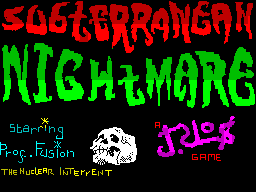
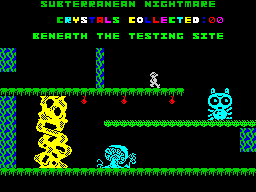
That project eventually became ‘Subterranean Nightmare‘ – an unashamed Jet Set Willy rip-off that was published by US Gold / Americana Software in 1986. It was written from the ground up but used pretty-much the same level format as Jet Set Willy with a few additions. It contained a few bugs, a lot of bad puns, half-decent graphics and terrible sound. Critical reception was mixed and I received the princely sum of £6,000.00 for it which was a fortune back then and still a significant chunk of change now. From then on, barring a brief flirtation with graphic design and digital marketing in the 90s, it’s been game dev all the way.

There were a couple of (at the time) innovative features in Subterranean Nightmare which I’m still pleased with in retrospect. Firstly, you could save your progress to cassette tape (a feature I’d never seen on any arcade/platform type game at the time), and secondly there were a series of barriers which blocked further progress until a percentage of the game had been completed. It seems ridiculous now but games at that time were usually either completely open (like Jet Set Willy) or completely linear (like Manic Miner) – I wasn’t aware of any title that utilised this combined approach.

One supposedly ‘original’ (i.e. not completely lifted from Jet Set Willy) feature that a few reviews picked up on was the fact that you can jump on some of the enemy’s heads in order to catch a lift to higher platforms. I’m ashamed (ok, not that ashamed) to say that this was actually a particularly pernicious bug that I couldn’t be bothered to fix – deeming it much easier to write it in as a ‘feature’ instead.

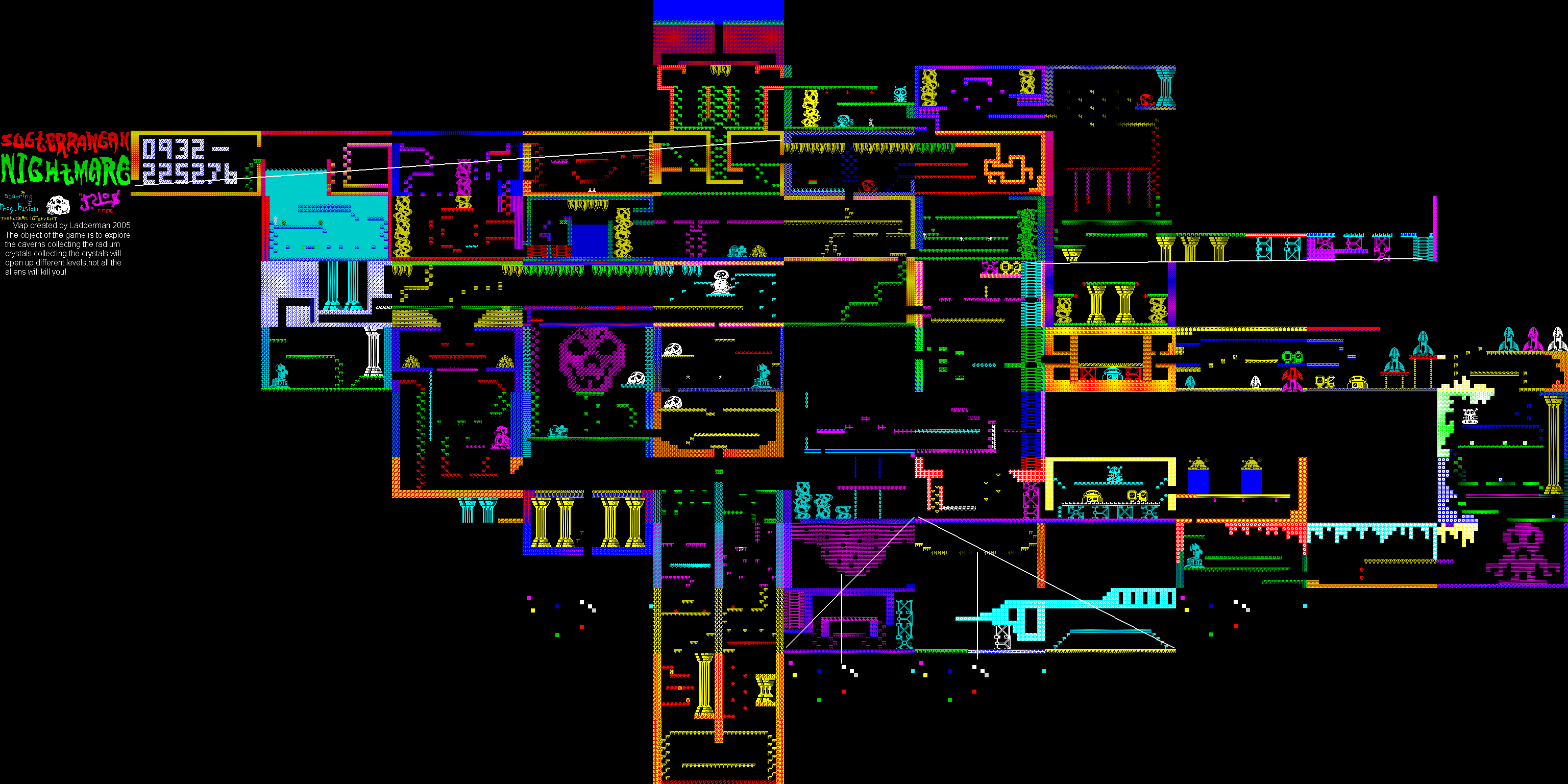
Looking on the map you’ll see a level that contains a bunch of large numbers. This was my home phone number at the time and was only supposed to be accessible after completing the entire game. Unfortunately a combination of two bugs made that room just about accessible form the first screen (with some fiddling about) so my parents were inundated with phone calls from geeky kids thinking they’d won some kind of prize. Most of the calls were from Scotland for some reason.

Now, if you’ll forgive, me I must go perform a quirkafleeg…

Subterranean Nightmare On World Of Spectrum
With reviews, maps, emulator images etc

Subterranean Nightmare Walkthrough On YouTube
I can’t believe someone actually did this!

You can read about the next Spectrum game I created, ‘Skateboard Joust’, here.

* The £25k Eureka prize was eventually won, legitimately, by Mathew Woodley – a kid in my year at school.

cornflower
Jet Set Willy’s Bathroom – Where It All Started

floppy
The Banyan Tree – Bringer Of Much Pain & Sorrow

floppy
Bad Puns And Adolescent Search For An Arty Signature

floppy
The First Screen – The Barrier On The Left Disappears When You Collect Your First Object

subterranean-nightmare-map
The Full Subterranean Nightmare Map


Not Even I Would Have The Patience For This…


Thirty Years Later – It All Led To this(!)